.png)
Creating Functional Spaces for Living and Working
Creating spaces that serve both living and working needs requires thoughtful planning and a clear understanding of functional design principles. Whether you are redesigning your home office or planning a commercial workspace, the goal is to maximize usability without sacrificing comfort or style. This article explores how to create functional spaces that enhance productivity and well-being.
Understanding Functional Design for Living and Working Spaces
Functional design focuses on making spaces practical and efficient while maintaining aesthetic appeal. It involves organizing furniture, lighting, and storage in a way that supports daily activities seamlessly. For example, in a home office, a well-placed desk near natural light can reduce eye strain and boost mood. Similarly, in a living room, multifunctional furniture like a sofa bed can save space and add versatility.
To implement functional design effectively:
Assess your needs: Identify the primary activities that will take place in the space.
Prioritize comfort: Choose ergonomic furniture and ensure proper lighting.
Optimize storage: Use shelves, cabinets, and organizers to reduce clutter.
Create zones: Separate areas for different functions, such as work, relaxation, and dining.
By focusing on these elements, you can create a space that supports both living and working without compromise.

Key Elements of Functional Design in Residential and Commercial Spaces
Functional design principles apply to both residential and commercial environments, but the approach varies based on the purpose of the space. In residential settings, comfort and personalization are paramount. In commercial spaces, efficiency and collaboration often take precedence.
Some key elements to consider include:
Layout: Open floor plans encourage interaction in commercial spaces, while residential layouts may favor privacy.
Lighting: Use a mix of ambient, task, and accent lighting to create a balanced environment.
Materials: Durable materials are essential in commercial spaces, whereas residential spaces can incorporate softer textures.
Technology integration: Seamless integration of technology enhances functionality in both settings.
For those interested in exploring more about residential and commercial design, understanding these elements is crucial for successful space planning.
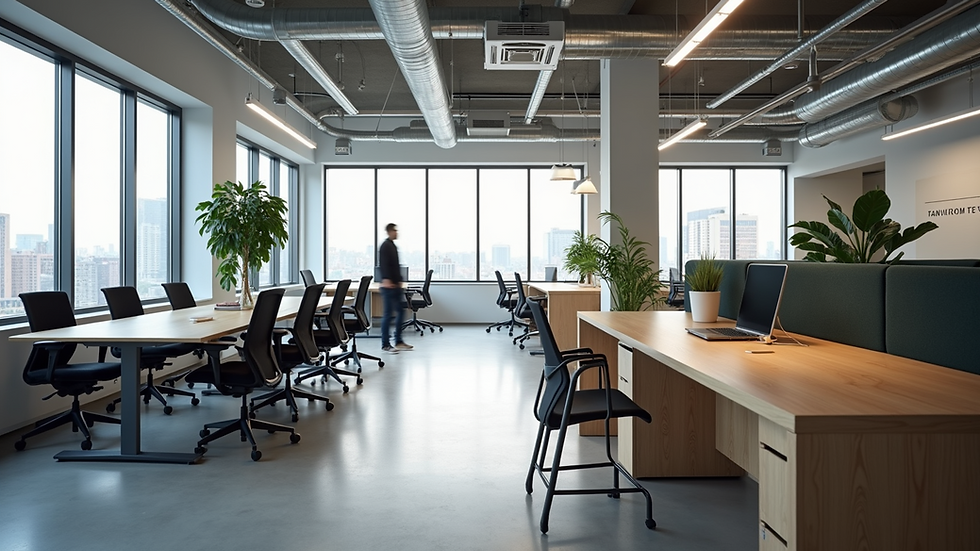
What is the difference between residential and commercial architecture?
Residential and commercial architecture serve different purposes and therefore have distinct design considerations. Residential architecture focuses on creating comfortable, safe, and personalized living environments. It often incorporates elements that reflect the occupant's lifestyle and preferences.
Commercial architecture, on the other hand, is designed to accommodate business activities. It emphasizes functionality, accessibility, and compliance with regulations. For example, commercial buildings must adhere to fire safety codes and provide adequate facilities for employees and customers.
Key differences include:
Scale: Commercial buildings are usually larger and designed to handle more foot traffic.
Materials and finishes: Commercial spaces use more durable and easy-to-maintain materials.
Zoning and regulations: Commercial architecture must comply with stricter building codes.
Design focus: Residential design prioritizes comfort; commercial design prioritizes efficiency and brand identity.
Understanding these differences helps in creating spaces that are fit for purpose and meet user expectations.

Practical Tips for Designing Functional Living and Working Spaces
Creating a functional space requires more than just good looks. Here are some actionable recommendations to enhance functionality:
Maximize natural light: Position work areas near windows to improve mood and productivity.
Use flexible furniture: Items like foldable desks or stackable chairs allow easy reconfiguration.
Incorporate storage solutions: Use vertical space with shelves and wall-mounted organizers.
Define zones clearly: Use rugs, lighting, or furniture arrangement to separate work and relaxation areas.
Choose ergonomic furniture: Invest in chairs and desks that support good posture.
Minimize distractions: Use soundproofing or room dividers to create quiet zones.
Add greenery: Plants improve air quality and create a calming atmosphere.
By applying these tips, you can create spaces that are both beautiful and highly functional.
Enhancing Productivity and Comfort Through Functional Design
A well-designed space can significantly impact productivity and comfort. For example, a clutter-free desk with easy access to supplies reduces time wasted searching for items. Proper lighting reduces eye strain, and ergonomic seating prevents back pain.
In commercial settings, functional design can improve teamwork and communication. Open layouts with collaborative zones encourage interaction, while quiet rooms provide space for focused work.
In residential spaces, balancing work and relaxation areas helps maintain mental health. Creating a dedicated workspace signals the brain to focus during work hours and unwind afterward.
Ultimately, functional design is about creating environments that support the activities and well-being of their users.
By embracing the principles of functional design, you can transform any space into a harmonious environment that meets your living and working needs. Whether you are planning a home office or a commercial workspace, thoughtful design choices will enhance your daily experience and productivity.


Comments